Shape voices, dialogue, and sound.

A local desktop studio for expressive speech, multi-speaker dialogue, and generated sound effects. Two AI audio engines, one interface, everything running on your own machine.

PyQt6 desktop appFully localApple Silicon & CUDAPython 3.10 / 3.11Built by TensorPeak

One window, three workflows

Emotional TTS, multi-speaker dialogue, and sound effects live in the same interface, over the same player and log panel.

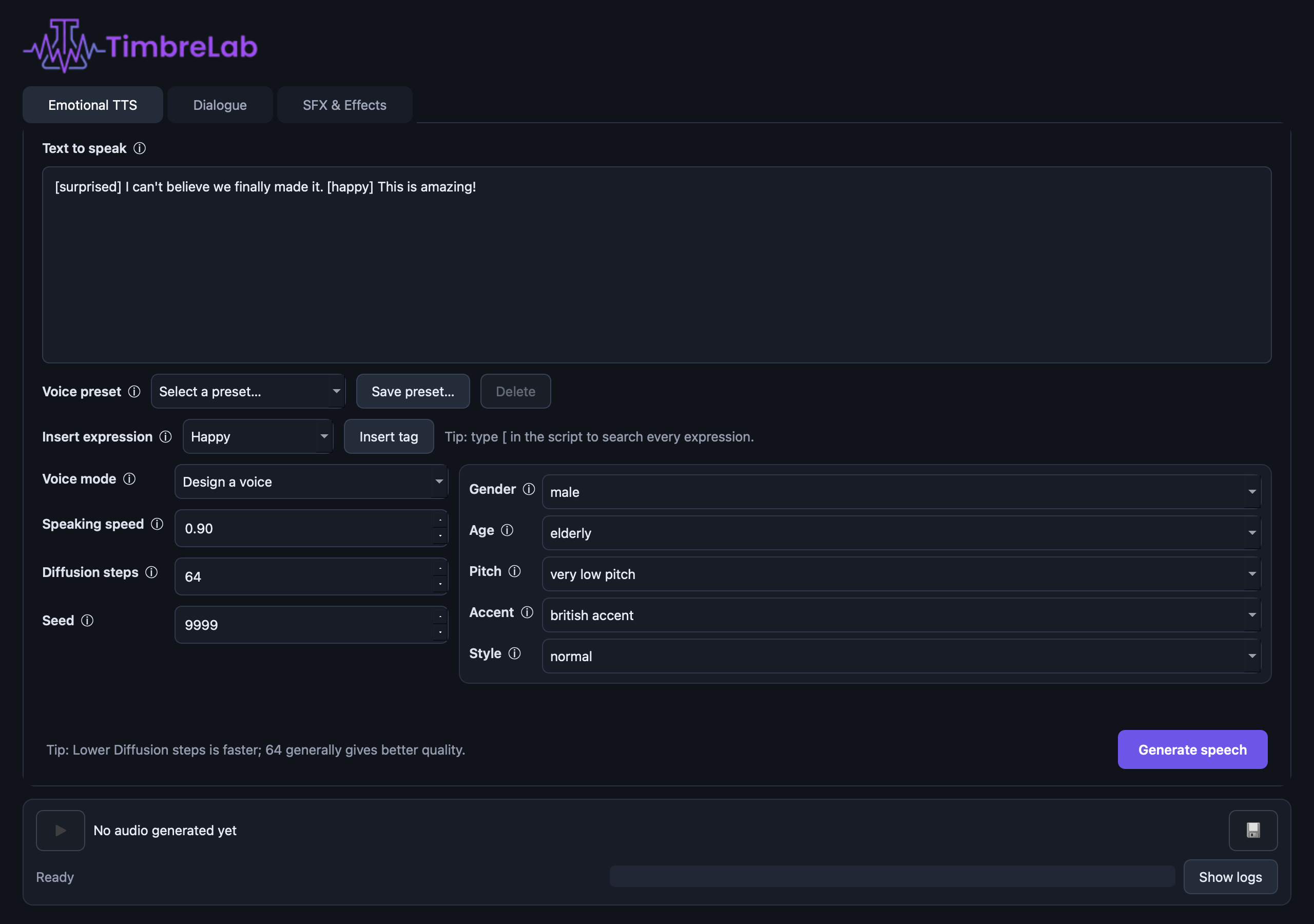
The TimbreLab Emotional TTS tab

Two engines, loaded independently

Each engine gets its own Python environment because their PyTorch stacks differ. They run as persistent background processes, so the interface stays responsive and every model loads only once per session.

OmniVoice

speech & dialogue

Multilingual text-to-speech with inline expressive cues and designed voices.

  • Voice design by gender, age, pitch, accent, and normal or whispering delivery
  • Native non-verbal cues plus friendly aliases such as [happy] and [sigh]
  • Adjustable speaking speed, diffusion steps, and seed

AudioLDM Small v2

sound effects · 421M params

Prompt-based sound effects and environmental audio from a latent diffusion model.

  • Clips from 1 to 30 seconds, 5 seconds by default
  • Prompt guidance and 8–256 diffusion steps
  • Runs on PyTorch MPS on Apple Silicon; ~1.7 GB downloaded on first use

What you get

Built around the parts of generative audio that are usually the most annoying: repeatability, iteration speed, and knowing what the model is actually doing.

Emotional TTS

Expressive cues inline

Type [ in the editor to open tag autocomplete, filter as you type, and insert the complete tag. No arbitrary emotion sliders — only cues the model actually supports.

Dialogue

Multi-speaker scenes

Write one turn per line as Speaker: line. Every speaker maps to a saved voice preset; the app renders each turn, inserts a pause, and combines the result into one preview.

Presets

Reusable voices

Save voice mode, design attributes, speed, diffusion steps, and seed under a name. Eight editable starter presets ship on first launch.

Determinism

Reproducible seeds

Seeds from 0 to 2,147,483,647, defaulting to 9999. Same text, settings, seed, runtime, and hardware gives you the same take back.

Transparency

Real progress, real logs

Estimated progress, download-byte reporting, model-loading heartbeats, and diffusion-step percentages — plus a Stop button whenever a worker is active.

Workflow

Previews stay temporary

Generated WAVs are session-scoped until you explicitly save them. Anything you didn't keep is cleaned up when the app closes.

Install and run

The launcher bootstraps itself. It finds a compatible Python, checks all three environments, installs only what is missing, and starts the app with the right interpreter.

01

Launch

chmod +x run.sh scripts/setup.sh
./run.sh

Later launches skip setup and start immediately.

02

Set up only

./run.sh --setup-only

Prepare or verify environments without opening the UI. Resume one with ./scripts/setup.sh omnivoice.

03

Develop

./run.sh --dev

Hot reload: editing application Python files stops playback and workers, then relaunches the updated UI.

Run it directly, or through the console entry point:

.venv/bin/python -m audio_playground
.venv/bin/timbrelab

Setup creates three local environments:

EnvironmentPurpose
.venvPyQt desktop application and tests
.venv-omnivoiceOmniVoice speech generation
.venv-sfxAudioLDM sound-effect generation

Requirements

The cvssp/audioldm-s-full-v2 checkpoint is published under CC-BY-NC-SA 4.0. Review that license before using generated assets in commercial work.

Tested where it counts

The automated suite covers expression normalization, safe output naming, dialogue parsing, voice-preset persistence and migration, deterministic seed wiring, device selection, download progress helpers, and hot-reload discovery. Full model generation stays a manual integration check — it needs multi-gigabyte downloads and suitable hardware.

.venv/bin/python -m pytest -q